Free Field Service Management Software: What Can You Actually Run Without Paying?
 OSI Affiliate Reviews DeskEditorial team
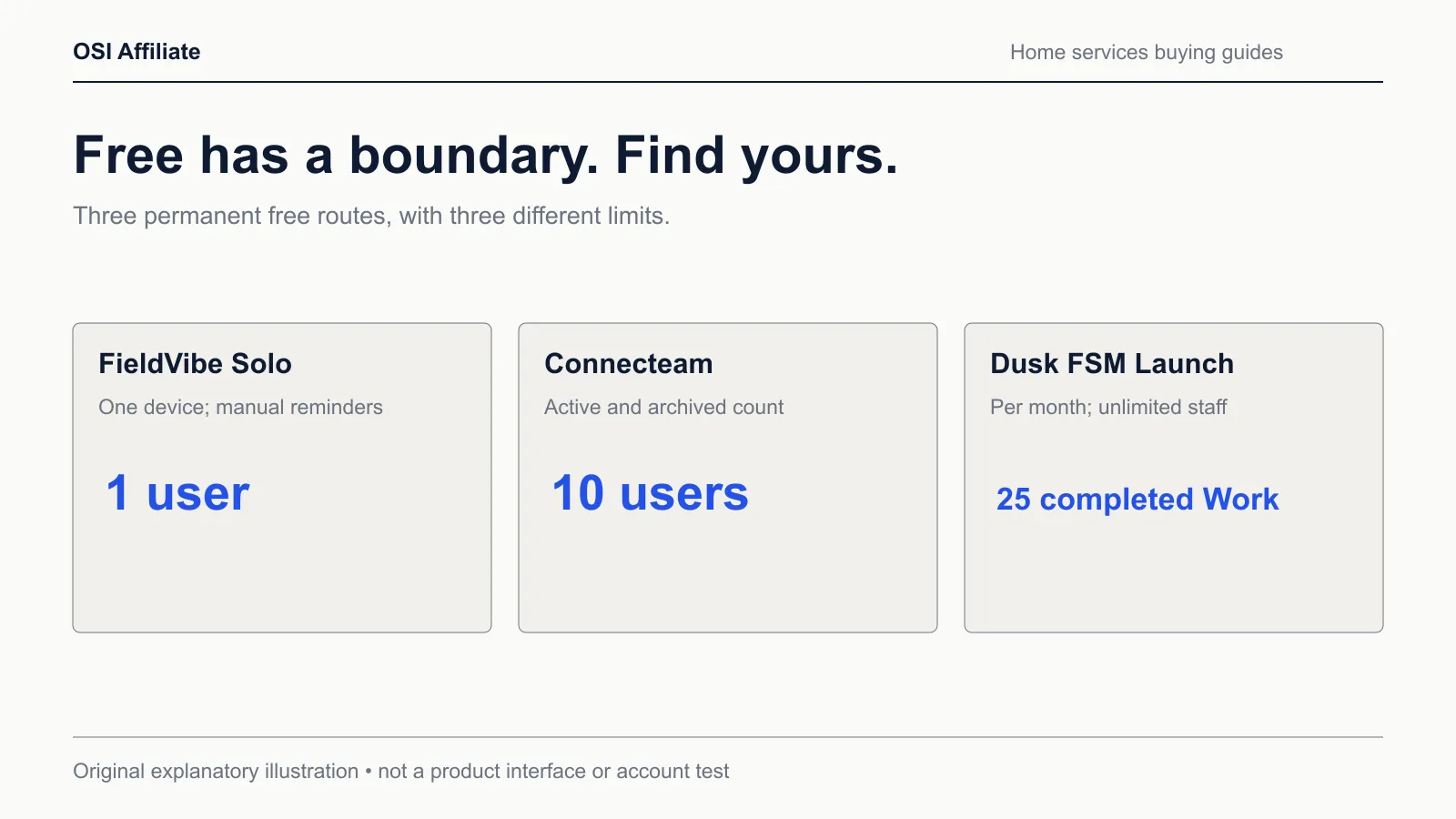
Free field service software is real, but in this category "free" has different meanings. Some products give you a permanent plan with a hard boundary, such as one device, ten users, or twenty-five completed Work items a month. Some hand you a 14-day trial of a paid product and call it free. Read "free" without checking which shape it is, and you can spend a week setting up quoting and invoicing inside a product that stops doing the thing you need right before payroll.
The three picks below are the permanent-free kind, not trials, and each one stops somewhere. The stopping point is the actual decision.
If you’re a solo operator who can live with sending invoices outside the app, FieldVibe Solo is a free starting point: unlimited jobs and clients, one device, and semi-automated reminders that come from your own phone rather than a dedicated number. If you have a small crew and the job is scheduling, time clock, forms, and crew communication rather than customer invoicing, Connecteam’s Small Business plan is a free workforce option, with one quiet catch: archived users still count toward your ten. If you want a small team moving from scheduled work into an invoicing workflow on a free plan, Dusk FSM Launch is the interesting middle option, with a 25-completed-Work-items monthly cap and a quote-and-invoice area we could not fully verify from public documentation.
The common thread: every permanent-free plan here has a hard boundary somewhere in the job-to-payment loop. The decision is whether the boundary sits in a place you can work around.
The shortlist at a glance
| Pick | Best fit | What “free” actually includes | The boundary that matters |
|---|---|---|---|
| FieldVibe Solo | Solo owner-operator keeping job records and a basic schedule | Unlimited jobs and clients, one-time and recurring scheduling, manual/semi-automated reminders, one device, free business website, price book | Quotes, invoices, online payments, and automated reminders sit in Solo Pro at $20/month; we found no QuickBooks integration on the inspected FieldVibe pages |
| Connecteam Small Business | Crews of up to 10 who need scheduling, time tracking, forms, and team chat | Time clock with GPS, scheduling, quick tasks, checklists/forms, chat, updates, training, and HR tools across all hubs | No customer quote-to-invoice workflow verified; your 10-user allowance counts active and archived users |
| Dusk FSM Launch | Small team that wants jobs to move toward invoices at low volume | 25 completed Work items/month, unlimited staff and contractors, scheduling and dispatch, forms, time tracking, an invoicing workflow, and unlimited integration connectors including QuickBooks Online | Beyond 25 completed Work items you upgrade; the full quoting, editing, and tax parity with accounting was not verified from the public page |
Separate “free plan” from “trial” before you build anything
A 14-day trial is not a free plan. That distinction sounds obvious, but it disappears in a lot of roundups because the trial and the paid product look the same for two weeks.
The clearest paid-side examples we checked while comparing boundaries:
- Jobber offers a 14-day trial on its Grow plan with no credit card, then it becomes a paid subscription you continue by entering billing information. The entry Core plan for one user is $49/month with no commitment, $39/month with a 12-month commitment billed monthly, or a $29/month annual equivalent. That annual equivalent works out to roughly $348 as an estimated prepaid year; the no-commitment route is about $588 a year at $49/month. We found no permanent-free Jobber route in the pricing materials we captured.
- Housecall Pro offers a 14-day free trial with no card, then pricing is generated from a tailored quote based on your industry, team size, and goals. The public pricing page mentioned a “from $59” figure in its title, but we could not tie that number to a specific plan, team size, and billing cadence, so we treat an eligible Housecall Pro quote as unknown until you receive one.
The three picks below are a different deal: no trial clock. Their limits are structural, and they’re visible before you enter a card.
The criteria that actually separate these free plans
What separates them is which part of the getting-paid loop is included at $0.
| Capability at $0 | FieldVibe Solo | Connecteam Small Business | Dusk FSM Launch |
|---|---|---|---|
| Users | 1 | Up to 10, active plus archived | Unlimited staff and contractors |
| Devices | Single device | iOS and Android apps; device allowance not specified | iOS and Android apps; device allowance not specified |
| Scheduling | One-time and recurring visits | Shifts, repeating shifts, claim/open shifts | Scheduling and dispatch with availability |
| Jobs and clients | Unlimited | Unlimited jobs (clients, projects) | Capped by 25 completed Work items/month |
| Quotes | Paid (Solo Pro) | Not included | Work-to-invoice flow documented; full quoting parity unverified |
| Invoices | Paid (Solo Pro) | Not included | Invoicing workflow documented; editing and tax treatment unverified |
| Payments | Paid (Solo Pro) | Not verified in captured materials | Not verified as part of the free workflow |
| Reminders | Semi-automated, from your own phone | Push notifications and scheduled messages | Not specified on the captured page |
| Accounting route | No QuickBooks integration found on inspected pages | Payroll integration listed; not a receivables system | QuickBooks Online listed among unlimited connectors; field parity unknown |
| Mobile | iOS, Android, web | iOS, Android, web | iOS, Android |
Two patterns jump out. First, FieldVibe’s free tier is expressly solo — one user, one device — and it deliberately stops before quotes and invoices. Connecteam and Dusk can also cover a solo operator for free, but their limits are structured around team size and Work volume rather than device count. Second, Connecteam and Dusk both allow teams for free, but they split the field service job differently: Connecteam is workforce coordination without customer invoicing; Dusk points at an invoicing workflow without verified quote-to-accounting parity.
FieldVibe Solo: the free solo start that stops before you bill
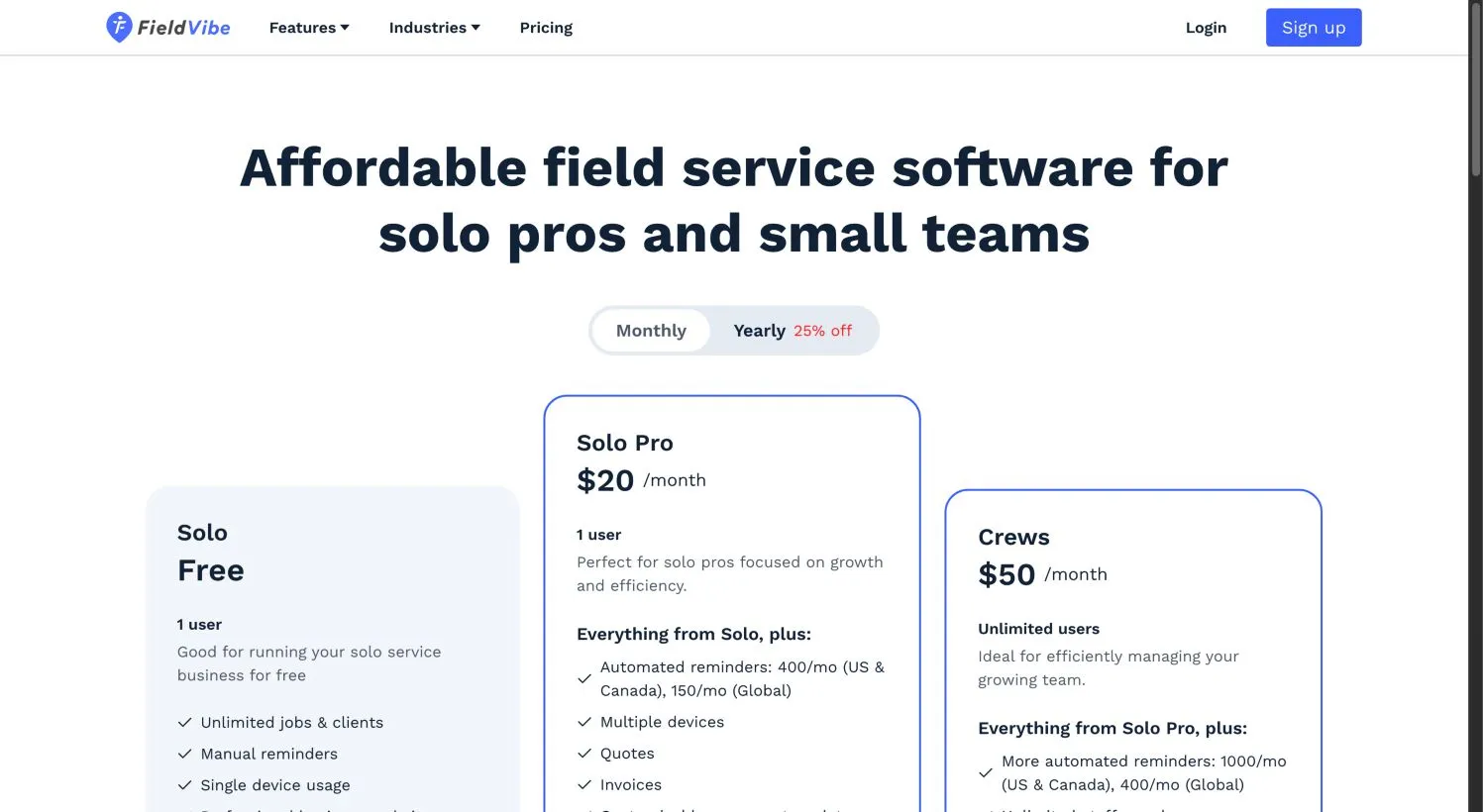
FieldVibe’s Solo plan is permanently free for one user, and it’s aimed at a specific reader: an owner-operator running jobs alone. The free plan includes unlimited jobs and clients, one-time and recurring visit scheduling, manual and semi-automated reminders sent from your own phone, a business website to accept work requests, a services and products price list, client history and notes, and a way to collect customer reviews.
The catch is the billing boundary. Quotes, invoices, online payments, time tracking, revenue tracking, tasks, journaling, reports, and fully automated reminders from a dedicated number require Solo Pro at $20/month. That plan also unlocks multiple devices. If you add a team, Crews is $50/month with unlimited staff, custom roles and permissions, and a higher reminder allowance (1,000 automated reminders per month for US and Canada, 400 globally, versus Solo Pro’s 400 in the US and Canada and 150 globally).
There’s also a gap we could not close from the public pages: we did not find a documented QuickBooks integration on the inspected FieldVibe pricing and feature material. That’s a verification item for your pilot, not proof the connection doesn’t exist.
Choose FieldVibe Solo if you work alone, you already invoice through another route you’re happy with, and you mainly want to stop carrying the schedule and customer details in your head.
Skip it if you need in-app quotes and invoices without paying, you need more than one device, or you plan to add even one crew member soon. Within FieldVibe, the jump from Solo to Solo Pro is small and mostly about billing capability; the jump to Crews is a larger operational change.
Connecteam Small Business: strong free workforce management, but no customer invoicing
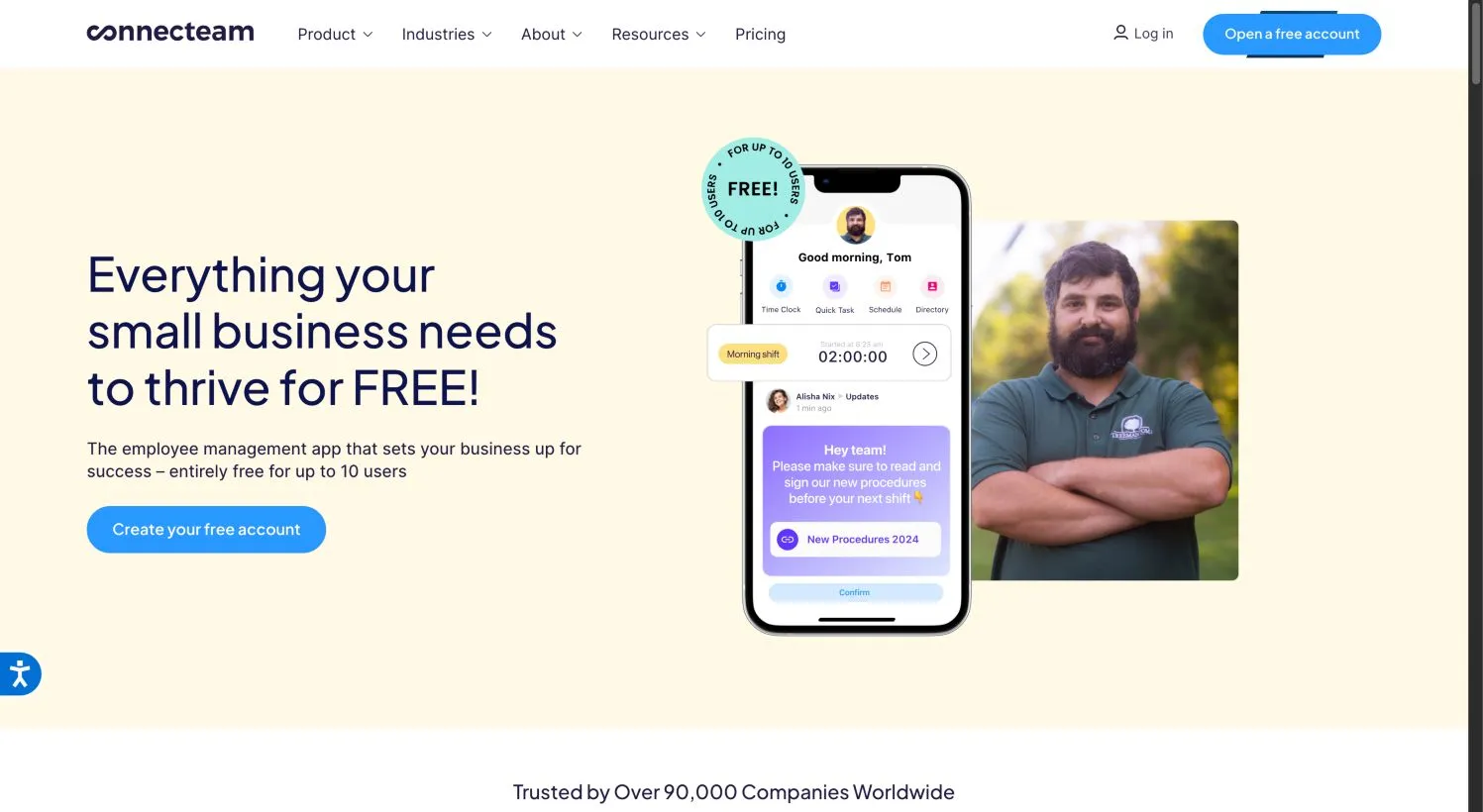
Connecteam’s Small Business plan is the most unusual free offer we looked at because the vendor says it includes access to all hubs and most advanced features for up to 10 users, at Expert-plan capability. What it actually covers is workforce operations: a GPS time clock, scheduling, quick tasks, checklists and forms with photos, signatures and GPS stamps, chat, an updates feed, a directory, knowledge base, and a wide set of HR and training tools.
Two conditions change the decision before you sign up. First, the 10-user allowance counts active and archived users. If you’ve archived former employees for payroll or compliance reasons, they can still occupy a seat. Second, Connecteam is not a customer receivables system. Its own category roundup acknowledges the lack of quoting and invoicing, and those are the pieces we verified. Any separate payment handling remained unverified in the pages we captured. That means Connecteam coordinates the people doing the work, but the customer’s quote, invoice, and payment collection sit outside the plan.
Above 10 users, the free path narrows. Connecteam’s pricing page documents a Limited plan that’s free for up to 30 users with reduced essentials per hub after the 14-day trial. It is genuinely free, but it is not the same feature set as the Small Business plan, so the exact functions you lose need to be checked against your workflows before you roll past ten users. Paid hubs then start at $35/month for the first 30 users on monthly billing for the Operations Hub Basic tier, with a displayed $29/month annual equivalent. Buying Basic above 10 users can mean losing some of the Expert-level functions the free plan included, so the Limited fallback is worth comparing before any paid purchase.
Choose Connecteam if you have two to ten field employees and your problem is scheduling, time capture for payroll, forms and checklists in the field, and keeping the crew in one chat instead of a group text.
Skip it if your day revolves around quoting, invoicing, and payment collection inside one system, or if you’re poised to pass 10 users and would rather avoid a tier transition that changes your feature set. A crew that needs customer billing will still need a separate quoting or accounting product, which is fine if you planned for it and expensive if you didn’t.
Dusk FSM Launch: real work-to-invoice at a 25-Work-item ceiling
Dusk’s Launch plan is a free team option with an invoicing workflow. It includes up to 25 completed Work items per month, unlimited staff and contractors, no credit card, scheduling and dispatch, forms, time tracking, mobile capture of notes, photos and signatures, an invoicing workflow, and unlimited integration connectors including QuickBooks Online.
The 25-completed-Work-items cap is more useful than an unqualified “unlimited staff” claim because it defines the actual free boundary. Beyond 25, you upgrade to Essentials or Growth; there’s no overage billing on Launch. The official page says additional completed Work items on paid plans are billed at $3 or $4 per Work item depending on the plan, but we could not verify a base paid subscription rate from the public page. That per-item rate is one allowance detail, not a total price, so treat paid Dusk pricing as a quote to get.
Two things stay unverified, and both matter for accounting. “Unlimited connectors” is not the same as unlimited transaction capacity or field-by-field parity with QuickBooks Online. And the captured page documents an invoicing workflow — moving completed work toward invoicing — but it does not establish the entire customer quoting-and-invoicing process, editing behavior after an invoice is touched in accounting, or tax treatment. We also couldn’t confirm how Dusk defines a completed Work item when jobs are returned, reopened, or recurring, so your first month of real use is partly a measurement exercise.
Choose Dusk Launch if you have a small team that wants to stop running jobs through spreadsheets and start connecting work to invoices at low volume, and you’re willing to verify the accounting parity yourself.
Skip it if a normal month already exceeds 25 completed Work items, or if confirmed quote and invoice field parity with your bookkeeping is a dealbreaker before you start. Its billing path still has unresolved details.
What free actually costs once you’re running
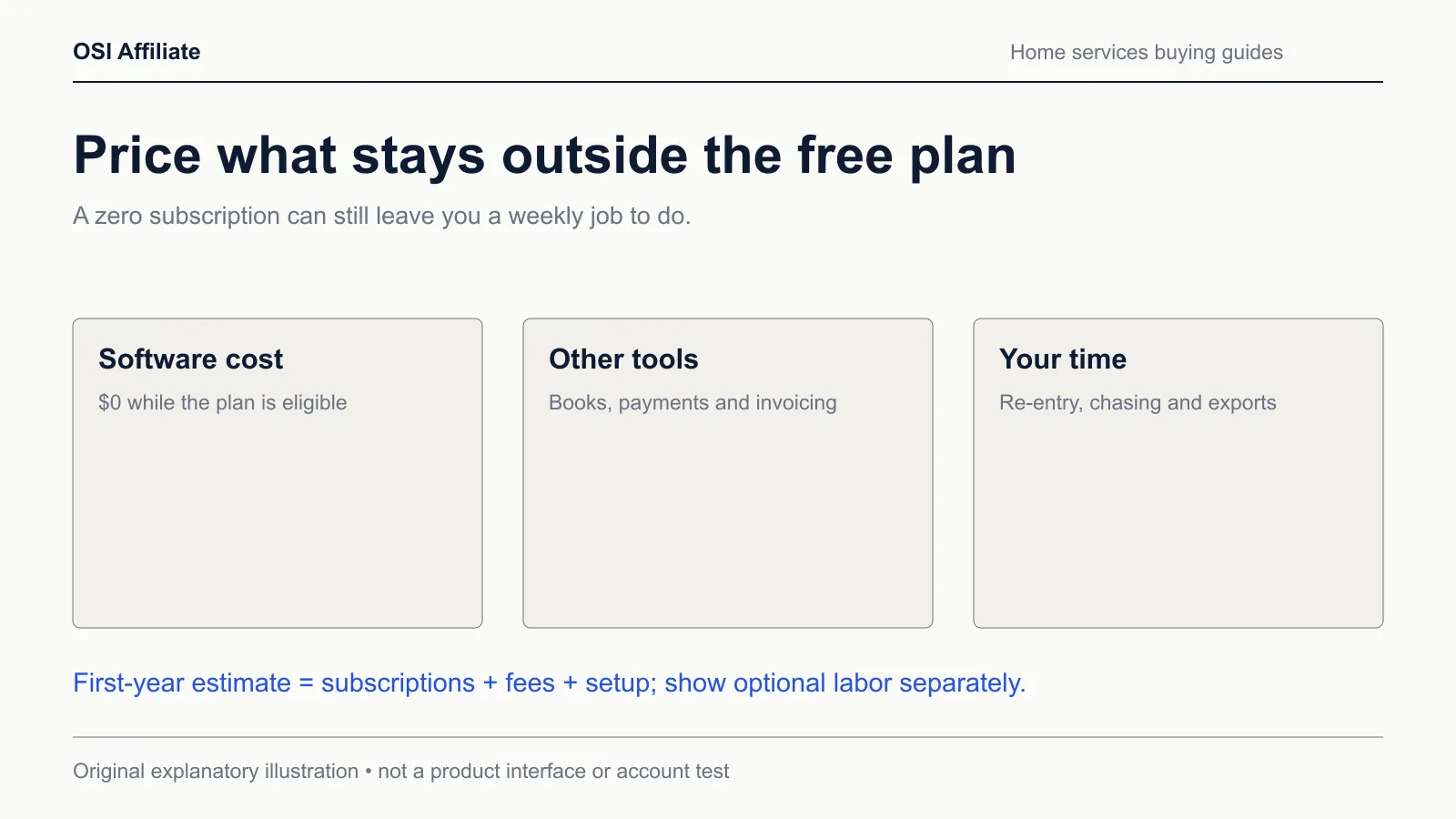
Free software subscriptions are $0, but a $0 subscription is not a zero-cost operation. The useful formula is:
First-year total = 12 × (software monthly + extras monthly + external tools monthly + processing monthly) + one-time setup
Then track a labor scenario separately, because it’s a judgment call, not a subscription: your hourly rate multiplied by the time you spend re-entering data, chasing reminders, or duplicating records between tools.
Worked examples from the formula:
- A solo cleaner on FieldVibe Solo enters $0 for software. If they want in-app quotes and invoices, the software line becomes $20/month, or about $240 over a year on monthly billing. If they stay free and invoice through a separate tool, that external tool’s monthly cost and any card-processing fees are each multiplied by 12 and added to the first-year total.
- A six-person landscaping crew on Connecteam Small Business enters $0 for software, but nothing in the plan creates customer invoices, so external accounting or invoicing is a required line item, not an option. If that separate tool runs $30/month, it adds roughly $360 to the first-year estimate before processing fees. Payment processing fees apply wherever cards are accepted.
- A Dusk Launch user at 20 completed Work items enters $0. At 30 completed items, Launch no longer fits; the paid base rate is an unknown quote, and the public page’s $3 or $4 per additional Work item is only part of the paid picture. That’s a boundary, not a simple monthly number, and you should not project a 30-item bill from the per-item line alone.
The labor scenario is where free plans can quietly cost money. If you spend 40 minutes a week copying job details into an invoicing or accounting tool because your free plan doesn’t bill, that’s about 34.7 hours a year. At $30/hour, that’s roughly $1,040. That’s a hypothetical you can adjust to your actual minutes and rate — it’s not a measured saving or a guarantee — but it shows why “free software” and “free operation” aren’t the same number.
The calculator below runs this formula across the three free picks and the likely paid upgrade paths. It keeps quotes and payment rates as inputs rather than guessing them, so ineligible or unverified configurations don’t automatically look like the cheap winner.
What does your free setup really cost?
US examples checked 18 October 2026. Different packages do different jobs. This calculates your selected configuration, with no automatic cheapest-product verdict.
Estimated first-year cash cost
- 12 months of subscription
- —
- 12 months of extras and other tools
- —
- 12 months of entered payment fees
- —
- One-time setup
- —
- Later year, same rates and usage
- —
- Optional annual manual-work value
- —
- Cash plus optional manual-work value
- —
Choose a plan and confirm its actual limits before buying.
Annual results are calculated estimates from monthly equivalents, not checkout invoices. Taxes, future price changes and unentered costs are excluded. Labor is an optional hypothetical, not a measured saving.
Verify this plan at the official sourceFirst year = 12 × (whole-team monthly rate + monthly extras + other tools + card volume × fee % ÷ 100 + card transactions × fixed fee) + one-time setup. Later year omits setup. Optional labor = minutes per week ÷ 60 × 52 × hourly value. Inputs stay in this browser and are not transmitted.
Prefer a separate view? Use the standalone free field service cost calculator to save or compare estimates on your own schedule.
First-year cost scenarios at a glance
| Cost scenario | Free boundary | Software: monthly | Software: first-year estimate | External accounting/payments? |
|---|---|---|---|---|
| FieldVibe Solo | 1 user, 1 device, manual reminders | $0 | $0 | Required for invoicing/payment if kept outside the plan; quote or tool cost separate |
| FieldVibe Solo Pro | 1 user; adds quotes, invoices, payments, automation | $20/month | $240 | Optional card/processing fees separate |
| FieldVibe Crews | Unlimited staff/roles | $50/month | $600 | Optional |
| Connecteam Small Business | ≤10 users including archived; workforce only | $0 | $0 | Customer invoicing not in plan; external tool required for field-service billing |
| Connecteam Operations Basic | 30-user fixed price, reduced feature set; non-equivalent fallback | $35/month | $420 | Still not a receivables system |
| Dusk FSM Launch | ≤25 completed Work items/month | $0 | $0 | Invoicing workflow documented; quote/accounting parity unverified |
| Dusk FSM paid | >25 Work items or advanced features | Unknown quote; per-item $3–$4 after plan allowance | Unknown | Verify with written quote |
The $240, $600, and $420 first-year figures are 12 × the displayed monthly rate, so they’re arithmetic estimates, not verified checkout invoices. Taxes, processing fees, and any one-time setup or migration work sit outside them.
Run a pilot before you commit
The fastest way to find a boundary you can’t live with is to push synthetic data through the actual free plan for a week, not to read another feature list. Keep the pilot isolated from live customer data and from your real accounting file, especially if you’re testing an integration route.
Use the home-service evaluation scorecard first. It’s a blank requirements sheet: list the jobs, quotes, invoices, payments, and accounting connections your current week actually needs, then mark each pick as confirmed, unconfirmed, or doesn’t fit. The observation cells stay blank until you observe them; resist filling them from the vendor’s marketing page.
Then run the home-service pilot worksheet, which is a synthetic request-to-visit-to-invoice checklist. The idea is to follow one fictional job through each product: create the job, schedule it, complete the work, attach a photo or signature where the plan allows, and attempt the quote or invoice step. For Dusk, specifically record how a completed Work item behaves when reopened or marked complete a second time, and whether an invoice edited in your accounting tool stays consistent when you look back at Dusk.
For any QuickBooks path, the safest check is an accountant-supervised test in an isolated or synthetic accounting environment with a backup, not a month of double postings in your live books. Mark the record-level results only after they happen; a blank observation is an honest result.
When free stops fitting
Free plans end, and the boundary tells you which paid direction is least painful.
If you’re outgrowing FieldVibe’s single-user or separate-billing shape, Solo Pro at $20/month adds billing functions, and Crews at $50/month is the team-grade step inside the same product. If you need a fuller quote-to-invoice-to-payment loop from day one, the paid category leaders are worth pricing directly: Jobber’s Core starts at $49/month with no commitment for one user, and Housecall Pro requires a tailored quote after its trial. We detail those products in our best field service management software for small business roundup, and our Jobber review covers what the entry plan includes and where its feature gates sit.
If your reason for staying free is really “I don’t want to commit before I prove the workflow,” the pilot above matters more than the pick. A free plan that recreates manual billing work can cost more in year one than a paid plan that collects the invoice in the same screen where the job closed.
Stay-put and migration checks
If you’re already paying for Jobber, Housecall Pro, or another full FSM product, a free plan can look like savings. Check three things before switching:
- Does the free boundary cover your real completed-job volume? Dusk’s 25-Work-item cap and FieldVibe’s one-user, one-device limit are hard edges, not suggestions.
- Does the free product keep invoicing and payments inside your workflow, or does it hand them back to a spreadsheet and a second tool? The labor scenario above is the honest way to price that handoff.
- Have you tested export and accounting parity before moving records? Run the pilot with synthetic data first.
Our field service software and QuickBooks guide walks through the connector questions by edition and direction where the vendors publish them, including the difference between a legacy two-way sync and a newer one-way route.
Next steps by situation
- You’re a solo operator who invoices outside the app: Start FieldVibe Solo, complete the evaluation scorecard against your actual weekly workflow without copying any live customer records into the software, and decide after a week whether $20/month for Solo Pro beats your current separate invoicing step.
- You have a crew and invoicing isn’t your bottleneck: Start Connecteam Small Business, count your active and archived users before inviting anyone, and confirm whether an 11th user would move you to the free Limited plan or a paid hub, along with which features change.
- You have a small team and want work to flow toward invoices for free: Confirm your normal monthly volume stays at or below 25 completed Work items before starting Dusk Launch. If you already exceed that, request the paid quote first and run the work-to-invoice pilot before trusting the accounting path.
- You’re already outgrowing free: Skip the free tier entirely and compare the paid shortlist in our home services software guides, then price Jobber and a Housecall Pro quote against your actual monthly job count.
Method and evidence limits
Author: OSI Affiliate. Substantive review date: 18 October 2026.
We researched this article from current public vendor pricing, plan, and feature pages captured on 18 October 2026 via current browser and Apify rendering. We used no paid accounts, executed no imports, ran no working-account benchmarks or timed usability trials, conducted no customer surveys, and performed no performance tests for this page. Public screenshots are captures of vendor pages dated 18 October 2026; they document what the vendors present, not logged-in use by OSI Affiliate.
Prices are in US dollars and exclude sales tax where applicable. Where a vendor displays a monthly equivalent for annual billing, we labeled the annual figure an estimate rather than a verified checkout total. Housecall Pro’s eligible plan price and Dusk’s paid base subscription rate remain unknown quotes in this research. FieldVibe’s QuickBooks integration status and Dusk’s full quote, invoice-editing, and tax parity remain verification gaps we flagged rather than resolved. Connecteam’s 10-user allowance counting archived users comes from the vendor’s own plan page and is product-specific, not a general billing rule.
If a price, plan limit, or feature has changed since this review, the boundary we described may no longer hold. Corrections can be sent through the contact route on our About page. Our selection method is documented in How We Pick.
Affiliate disclosure
OSI Affiliate may earn a commission from qualifying purchases made through some links on this page. Commissions never determine which products we include, how we order them, or which one we recommend. We apply the same criteria whether or not a vendor pays a commission. Learn more about our methodology on the How We Pick page and about this publication on the About page.

Written by
OSI Affiliate Reviews DeskEditorial team
Business-software reviews, comparisons and buying guides for small teams. We compare vendor documentation and pricing, explain the limits of our evidence, and identify affiliate links. Each guide states whether it includes account testing, public demos or documentation research.